 YouVPN
First, choose an app
Choose one app. You will find your subscription link in your account.
INCY
For the Russian App Store
HAPP
For an App Store outside Russia
INCY
1
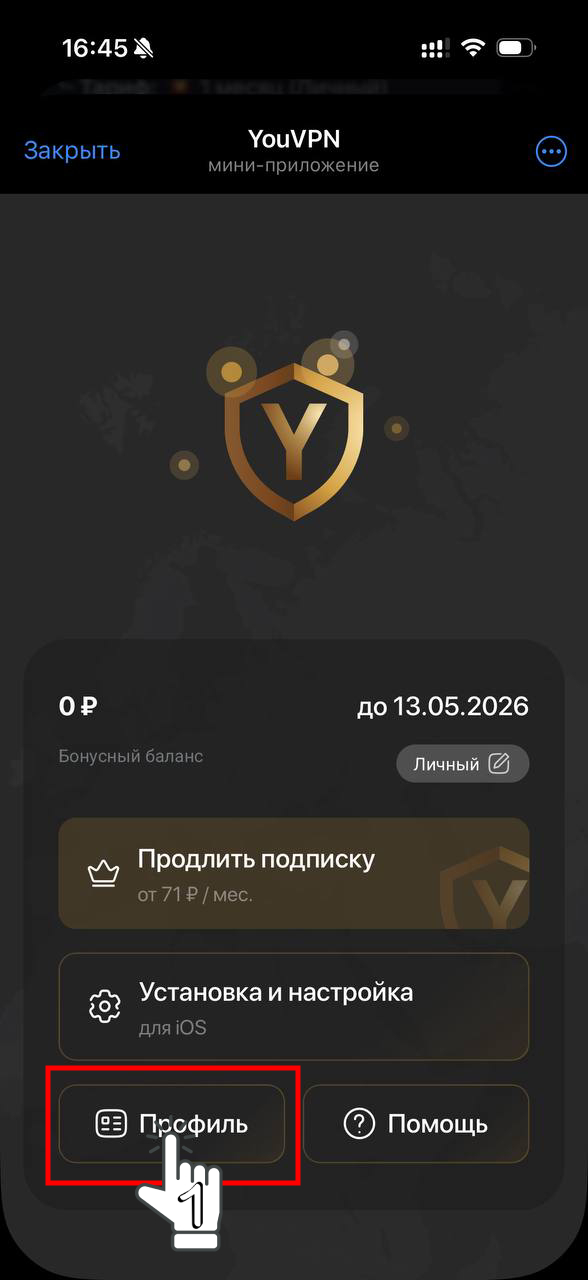
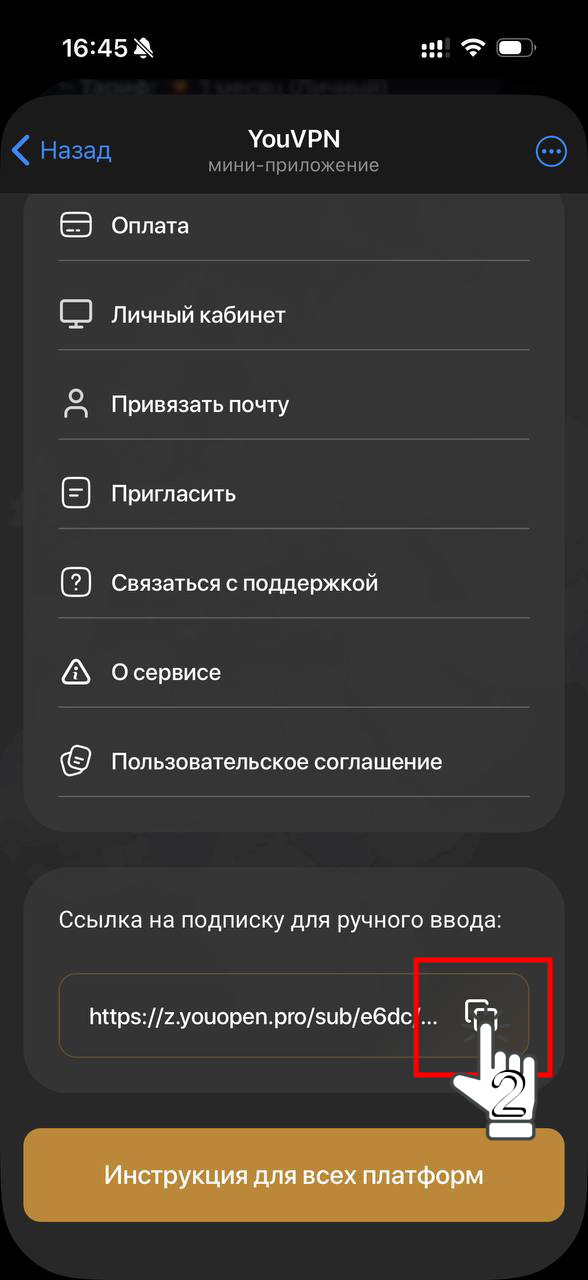
Open your account or the Telegram bot. Go to your profile and copy your subscription link.
2
Download and install INCY.
3
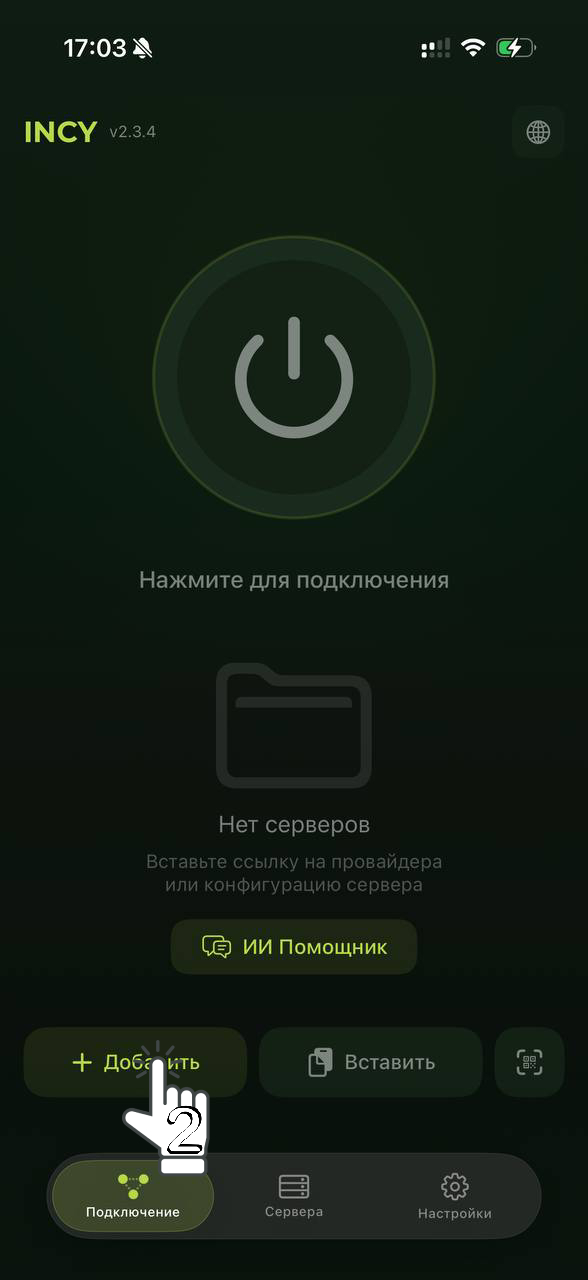
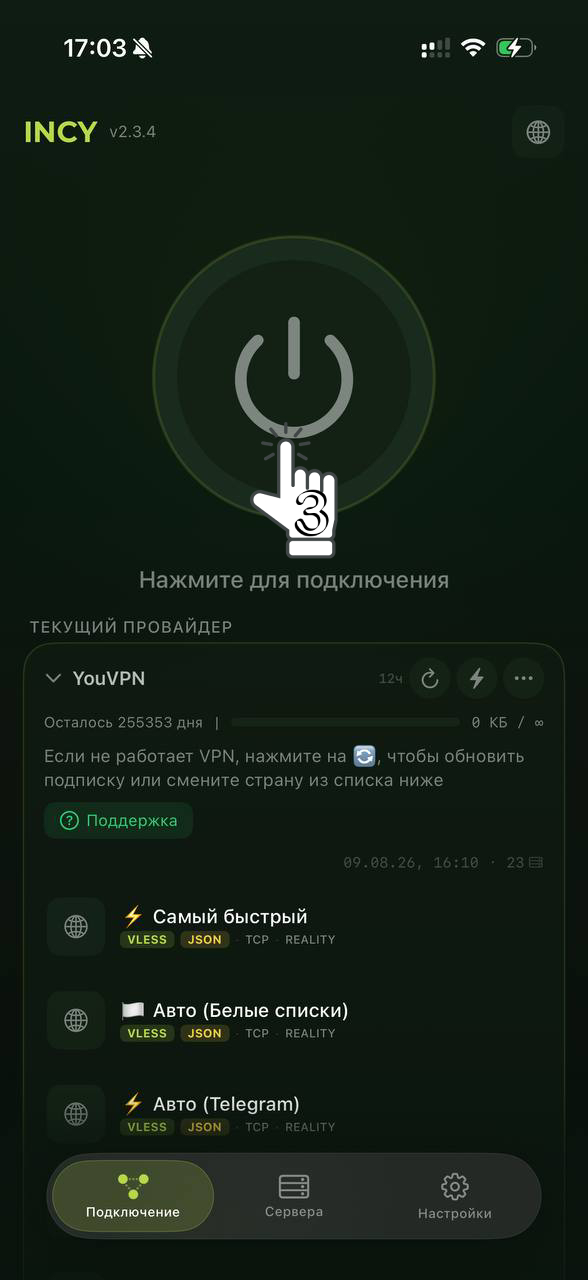
Open INCY and select “Add” («Добавить» in the screenshots). Allow clipboard access if prompted. Once your YouVPN subscription appears, select a location and connect. If this profile is already there, update it instead of adding a duplicate.
4
Open a site to check your connection. If it does not work, choose another location and reconnect. Connection troubleshooting
HAPP
1
Open your account or the Telegram bot. Go to your profile and copy your subscription link.
2
Download and install HAPP. Availability depends on your Apple ID region. How to change region
3
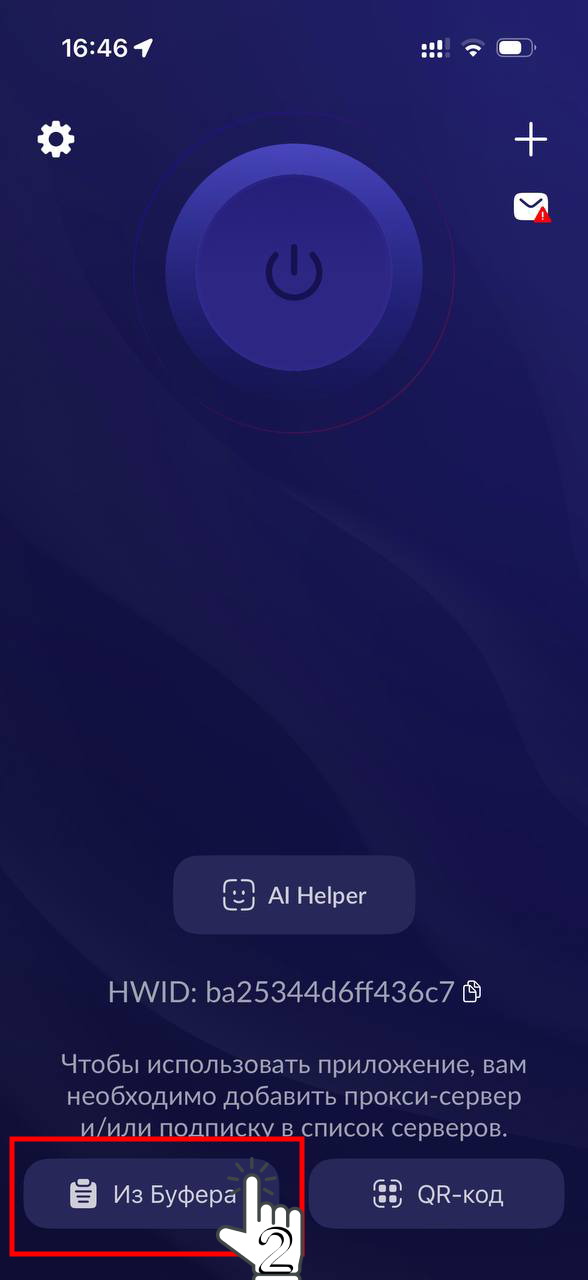
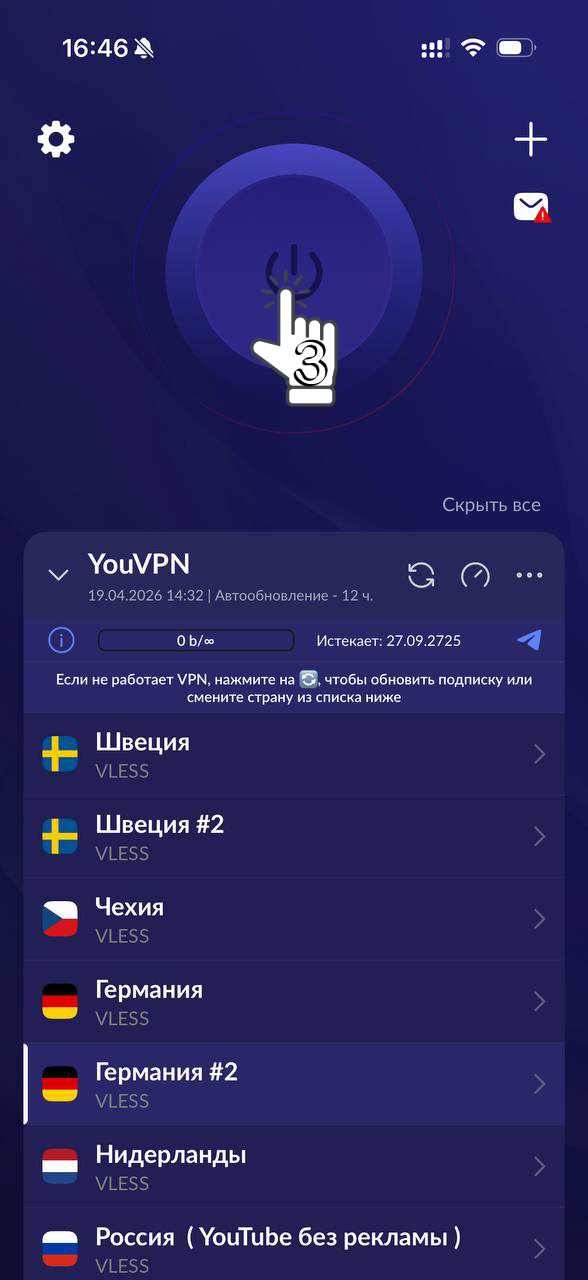
Open HAPP and select “From clipboard” («из буфера» in the screenshots). Allow clipboard access if prompted. Once your YouVPN subscription appears, select a location and connect. If this profile is already there, update it instead of adding a duplicate.
4
Open a site to check your connection. If it does not work, choose another location and reconnect. Connection troubleshooting
Your experience matters
Did this help?
Your feedback helps us make these guides clearer.
We save your rating, reason and the guide address.