Install YouVPN
Install YouVPN and sign in to your account.

YouVPN
Our Android app
How to install YouVPN with an APK
YouVPN requires Android 8.0 or later.
- Select “Download APK” on the YouVPN card and wait for the download to finish.
- Open the downloaded file. If prompted, allow installation from this browser or file manager.
- Select “Install”, then open YouVPN and follow the app’s instructions. You can turn off the installation permission for this source afterwards.
YouVPN
Connect in three steps
Screenshots show the Russian interface.
01
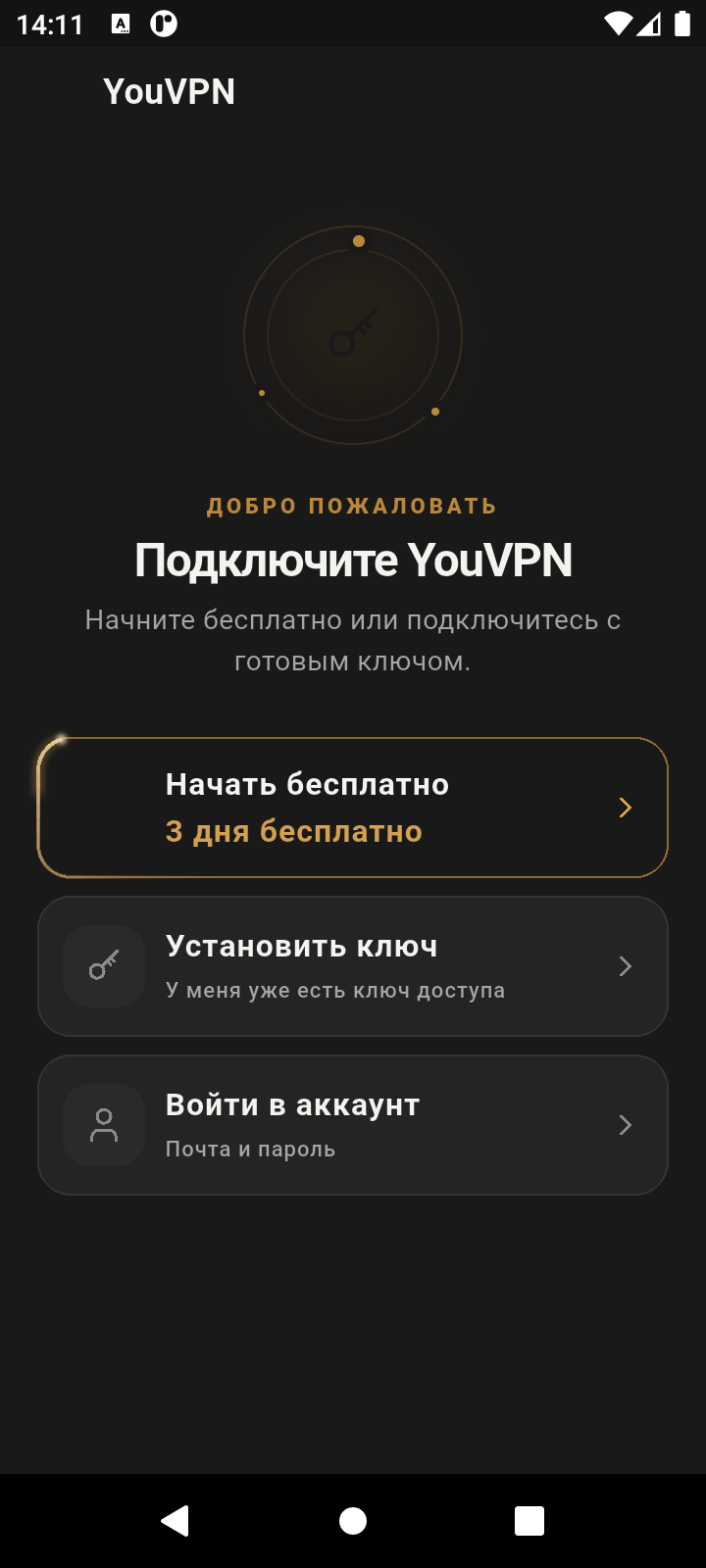
Open YouVPN
Install the app using the button above, open it and choose “Sign in to your account”.
02
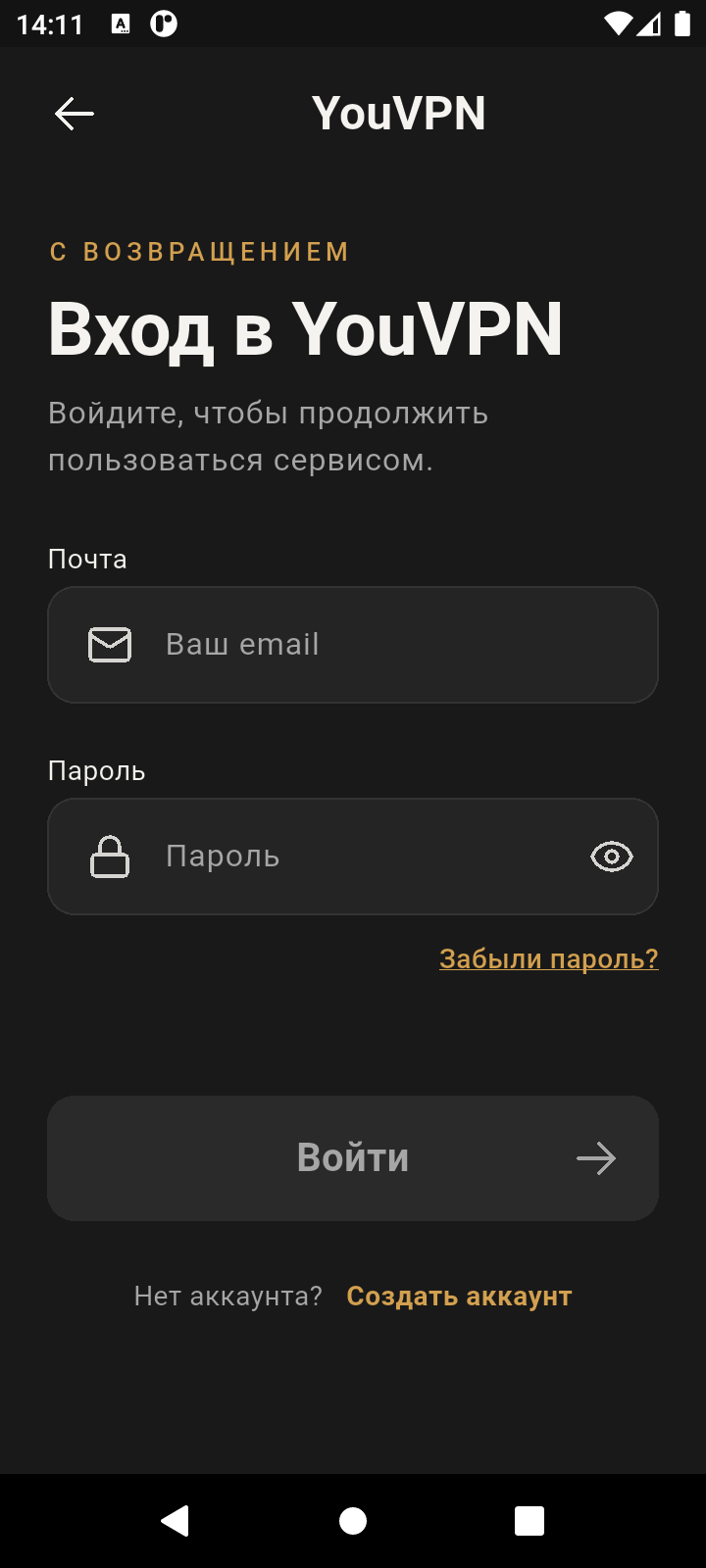
Sign in
Enter your YouVPN email and password, then tap “Sign in”.
03
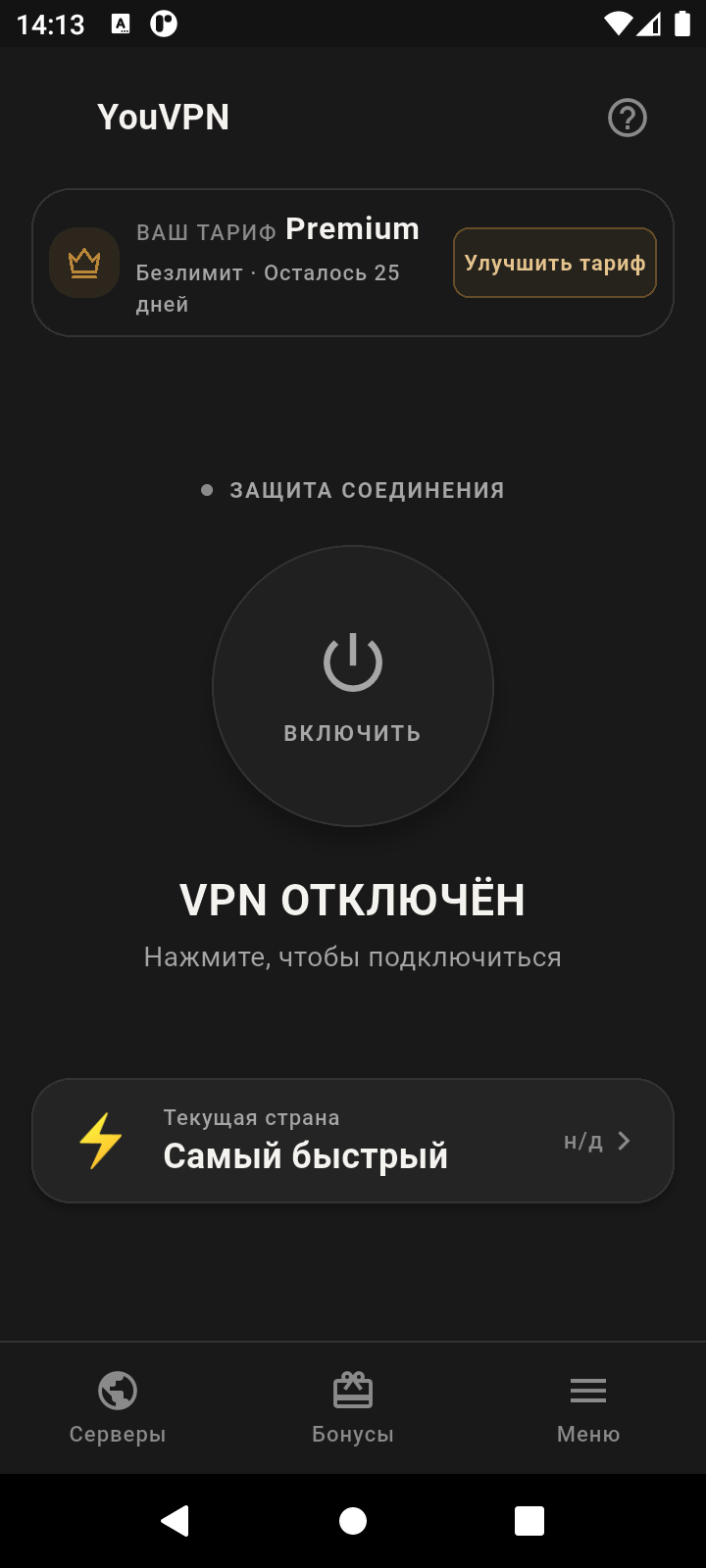
Connect
Tap the power button on the home screen. If Android asks for permission to set up a VPN connection, allow it.
Your experience matters
Did this help?
Your feedback helps us make these guides clearer.
We save your rating, reason and the guide address.